Track the work.
Take over.
See the work your players put in on their own. Be ready the day the season opens. Built by coaches, simple enough to set up between practices.
Your players may already be on it. Or look around a demo team first, or read the coach start guide.
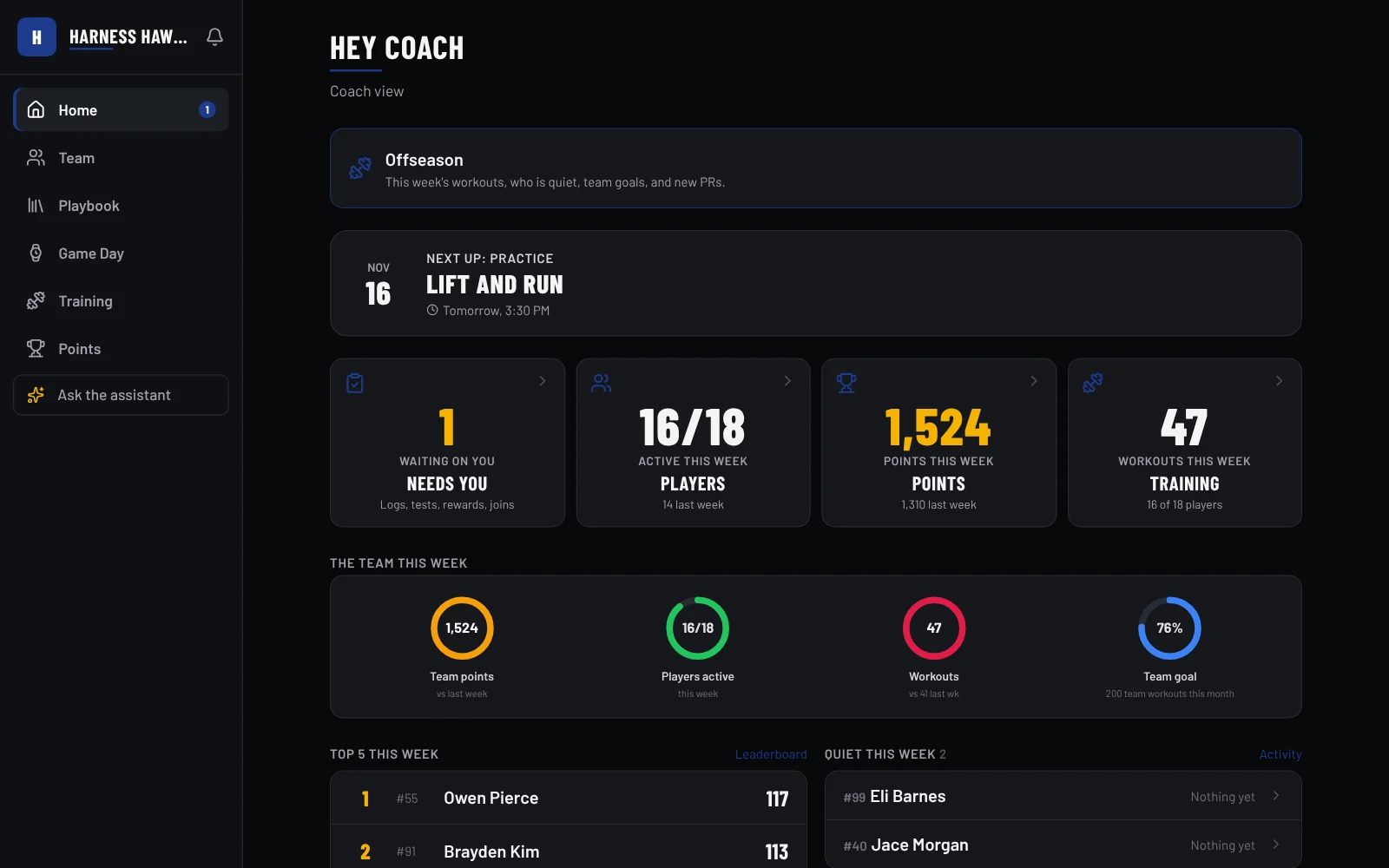
Active players, points and workouts this week, at a glance. No spreadsheets.
Players who've gone quiet show up on your home screen, so one text gets them going again. Their rating and the team board do the rest.
Programs, points, badges and rewards come loaded. Change what you want, keep the rest.
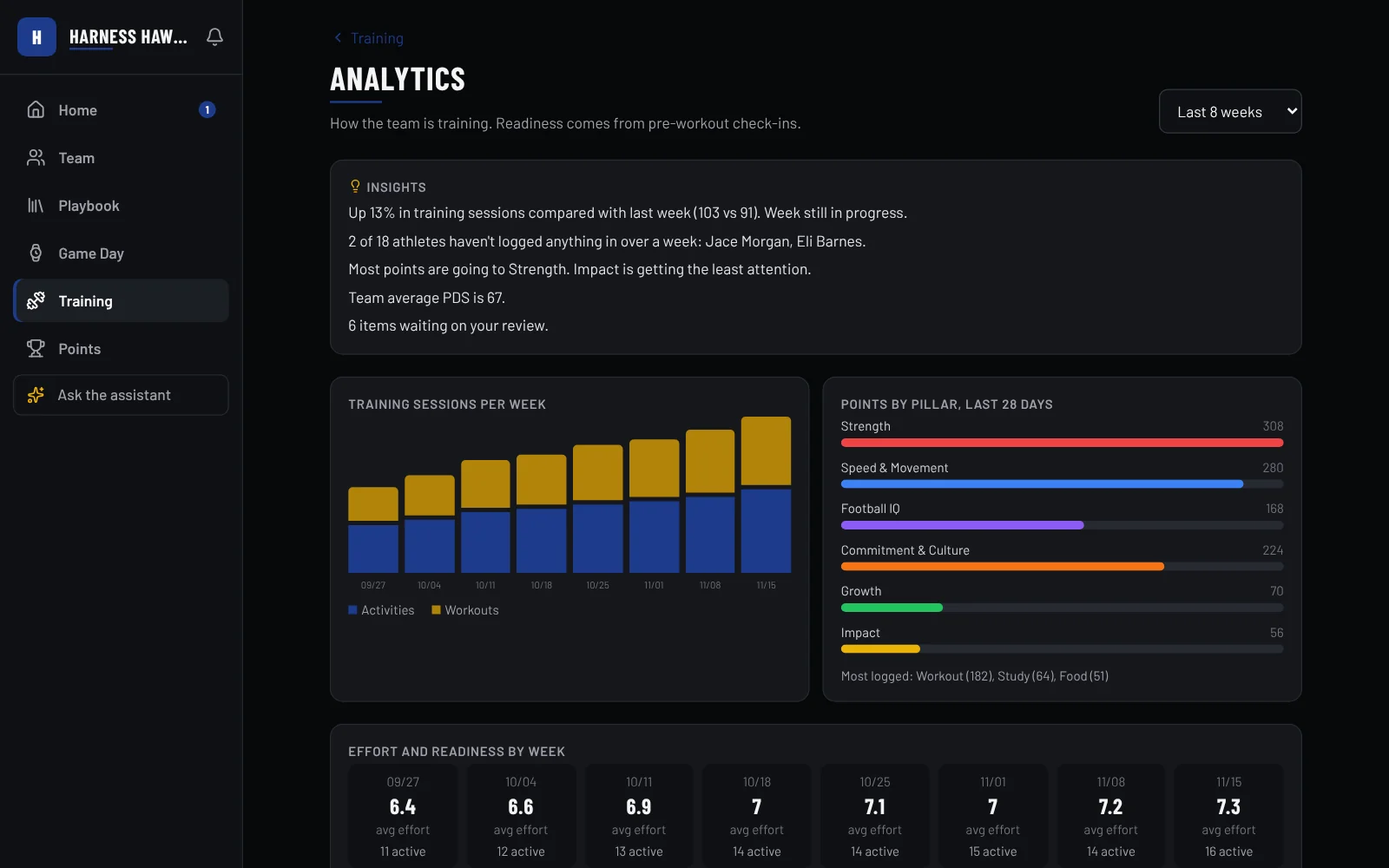
See the trend, not just today.
Eight weeks of training on one page, with the takeaways written out for you.
- Sessions per week and who is driving them.
- Effort and readiness from pre-workout check-ins.
- Insights in plain words, like who has not logged anything in a week.
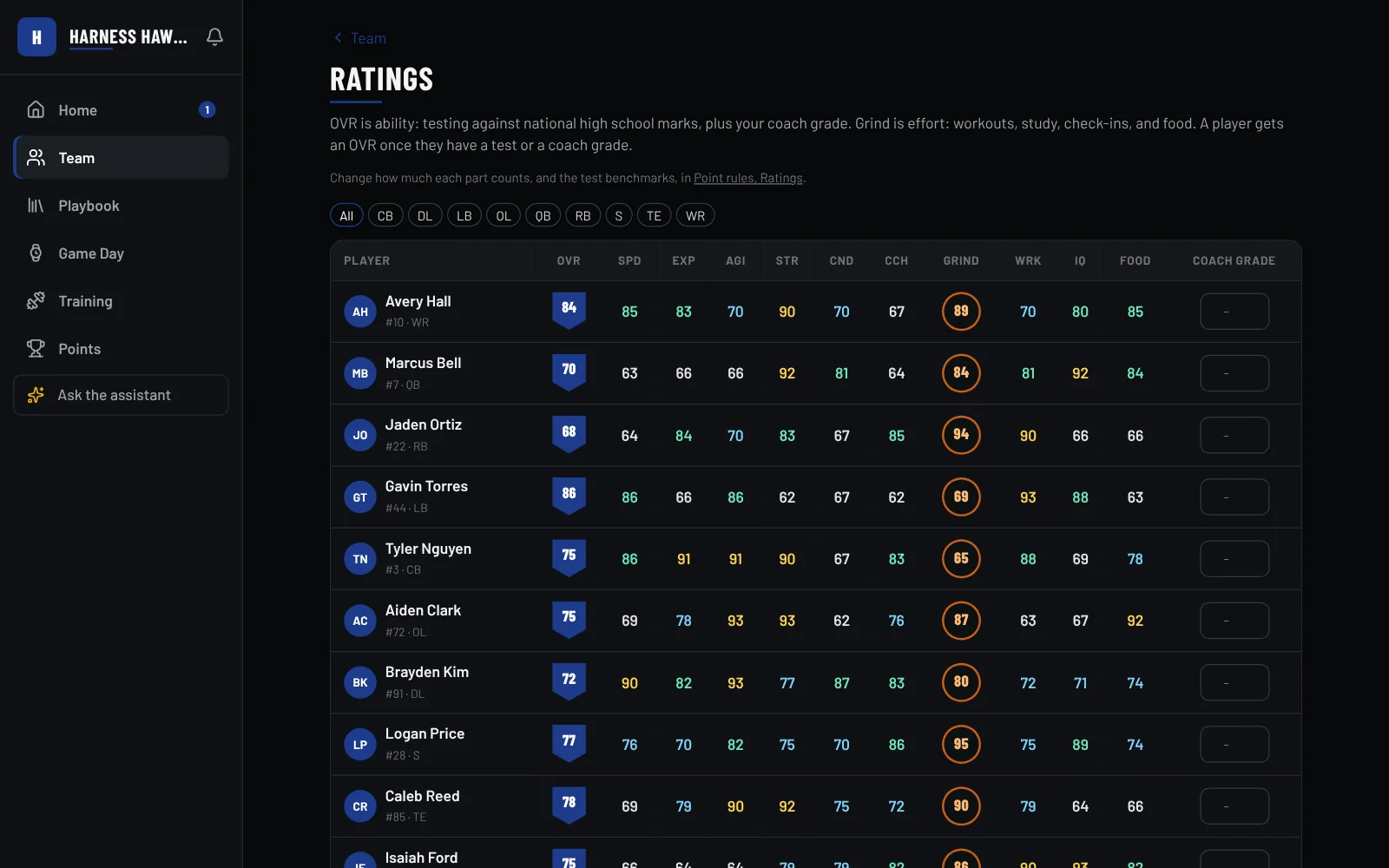
Every player, rated.
OVR comes from your combine numbers and your grade. Grind comes from the work.
- Sort by any skill to find who is fastest or who needs the weight room.
- Your coach grade counts, so the eye test is in there too.
- A depth chart that reads the same numbers.
How OVR works
OVR is what a player can do: speed, acceleration, agility, explosiveness, strength, conditioning and position skills. The work counts too, as a separate Grind score.
Up to 99, against high school players at the same position nationwide, figured the same way on every team. Nobody can adjust it, coaches included. A player who plays more than one position gets a rating at each.
No number until speed, explosiveness, agility and strength are tested. It firms up as he tests the rest, and asks for a retest when results get old. Laser times count more than hand times.
Results a player enters wait for your OK. Your coach grade covers position skills, with a cap so one opinion can't outweigh the stopwatch. Class OVR shows how he stacks up in his grade.
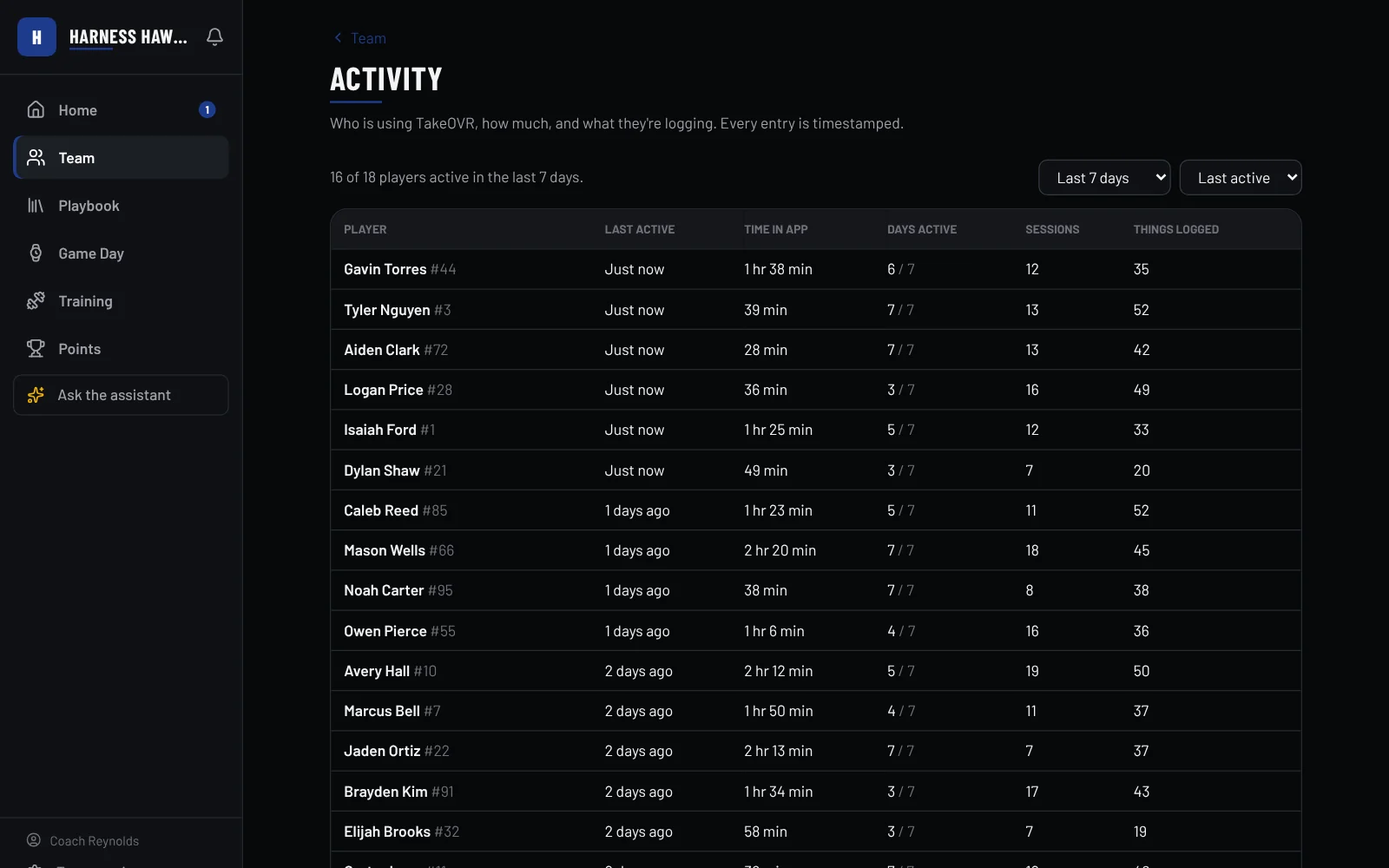
Every rep, on the record.
When each player last trained and what they logged, with a time on every entry.
- Spot the quiet ones before they fall behind.
- Check the work in the review queue. Approve it or reject it.
- Built for staff, so your assistants see it too.
You set the rules.
Decide what each workout, PR and quiz is worth.
Fill the point store with things your players want.
Dozens that run on their own, plus your own to hand out.
Split the team up and set goals everyone chases.
Plus a playbook with drawn plays, wristbands and call sheets, quizzes and flashcards, a team schedule and news, and a public team page.
Getting started
Pick your school and team: Football, Girls Flag, or Feeder. If players already joined, they're waiting for you.
Give us a school email or phone. We confirm head coaches, usually within a day.
Pick a program, set points and rewards, invite your staff.
Questions
What does it cost?
Nothing right now. Teams that join early keep perks when pricing starts.
My players joined before me. Now what?
Claim the team. Everyone who joined stays on it, and you take over as head coach.
Can my assistants get on?
Yes. Assistants pick your school and ask to join. You approve them.
What about Girls Flag and youth teams?
Each school can have three teams: Football, Girls Flag, and Feeder for youth and middle school. Each has its own coaches, roster and leaderboards. Feeder classes move up to the high school team when they get there.
What about middle school teams?
Middle school and Feeder teams get team-level leaderboards by default. Individual rankings are off unless you turn them on.
Get your program on it.
Claim your team. Your players may already be waiting.